Key Takeaways
- Communities face issues with traditional guest access methods like paper logs, causing delays and security risks.
- QR visitor passes streamline the process, allowing residents to generate secure, time-sensitive codes for guests.
- Dynamic QR codes refresh every 60 seconds, enhancing security by preventing unauthorized access through screenshots.
- Using digital passes improves guard efficiency by eliminating subjective decisions and allowing for quicker verification.
- Property managers benefit from clear data on visitor patterns, creating accountability and enabling effective security incident reporting.
If your community still manages guest access with a paper list at the gate, you already know the problems: guards calling residents to confirm visitors, unauthorized people slipping through, no record of who came and went, and frustrated guests waiting at the entrance.
QR visitor passes are changing all of that — and communities across South Florida are making the switch.
What is a QR Visitor Pass?
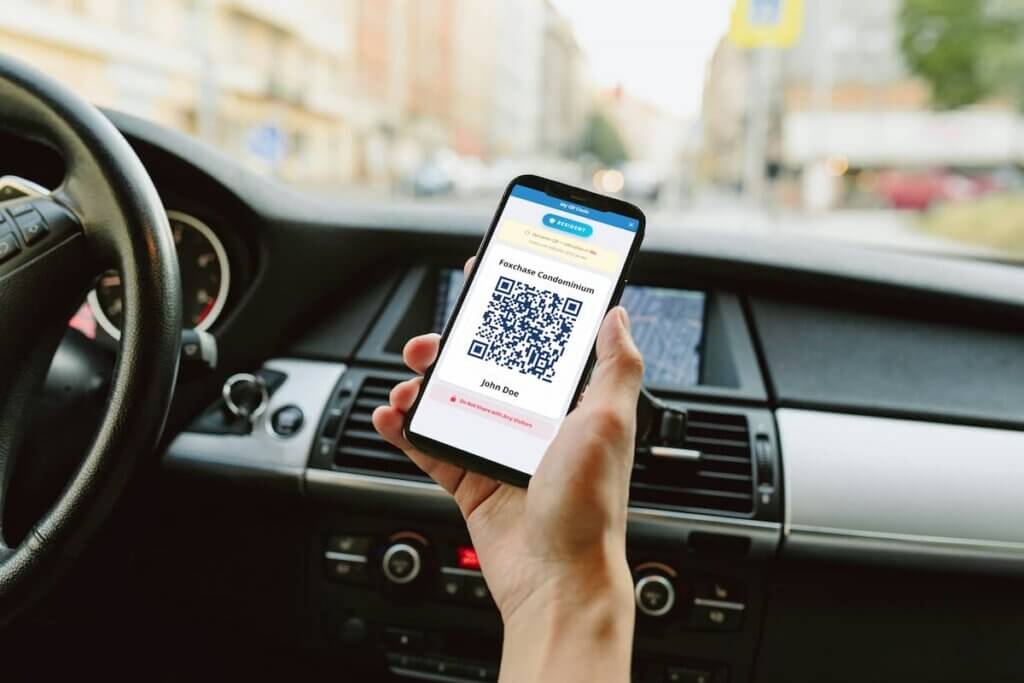
A QR visitor pass is a digital access code that residents generate from their phone and share with guests before they arrive. When the visitor reaches the gate, the security guard scans the QR code, verifies the pass, and grants access — all in seconds, with a complete digital record automatically created.
No phone calls. No paper lists. No guessing.
What sets the My Property Access visitor pass apart is that it uses dynamic QR technology. The QR code refreshes automatically every 60 seconds, which means a screenshot or forwarded image cannot be used to gain unauthorized access. The code the guest presents at the gate must be live and active — making it one of the most secure visitor pass systems available for residential communities.
The Problem with traditional Gate Access
Most HOA and condo communities manage visitor access one of three ways: a physical logbook at the guard station, a shared spreadsheet updated manually, or a phone call from the guard to the resident every time someone arrives.
Each of these creates real operational problems:
For guards: They spend significant time on the phone verifying guests instead of monitoring the property. During peak hours — weekend afternoons, holidays, move-in days — the gate becomes a bottleneck.
For residents: Having to answer the phone to authorize every delivery driver, contractor, or guest is disruptive. Residents who are at work, traveling, or unavailable cause delays and frustrated visitors.
For property managers: There is no reliable audit trail. If an incident occurs, reconstructing who entered the property and when becomes a manual, time-consuming process.
For security: Paper logs can be altered, lost, or simply ignored. There is no way to verify that the information recorded is accurate.
How QR Visitor Passes work in practice
With a digital visitor pass system like the one integrated into My Property Access, the process is simple and takes under a minute for the resident:
Step 1 — The resident creates the pass
From the My Property Access app, the resident opens the Visitor Pass section and fills in the guest’s name, visit date, and whether it’s a one-time or recurring visit. The system generates a unique QR code instantly.
Step 2 — The pass is shared with the guest
The resident shares the QR code via text, WhatsApp, or email. The guest saves it to their phone — no app download required on their end.
Step 3 — The guest arrives at the gate
The security guard scans the QR code with the guard app. The system confirms the pass is valid, shows the guest’s name and authorized visit details, and logs the entry automatically.
Step 4 — The record is created
The visit is stored digitally with timestamp, guard ID, and guest information. The resident receives an instant push notification confirming their guest has arrived.
The entire process at the gate takes under 10 seconds.
One-Time vs. Recurring Passes
Not all visitors are the same, and a good visitor pass system reflects that.
One-time passes are ideal for delivery drivers, occasional guests, service technicians, and anyone visiting once. The pass expires automatically after the visit date.
Recurring passes are designed for regular visitors: housekeepers, caregivers, dog walkers, or family members who visit weekly. The resident sets the pass once, and it remains valid for the authorized days and times — without the resident needing to do anything each time.
This distinction matters for security. A recurring pass for a housekeeper that is valid Monday through Friday, 9am–5pm, is fundamentally different from an open-ended guest authorization. The system enforces those boundaries automatically.
Why Dynamic QR Codes are more secure than static ones
Most visitor pass systems generate a static QR code — one image that stays the same every time it is used. The problem is that a static code can be screenshotted, forwarded, or shared with anyone. A resident could create a pass for one guest, and that same code could be used by multiple people the management never authorized.
My Property Access uses dynamic QR codes that refresh every 60 seconds. The code the guest sees on their phone at 2:00pm is different from the one they had at 1:59pm. This means:
- A forwarded screenshot is useless — it will be expired by the time someone else tries to use it
- A guest cannot share access with another person without the resident’s knowledge
- Every scan is tied to a live, verified session — not a static image that could have been copied days ago
For communities where resident safety is the priority, this distinction matters significantly.
Why Guards perform better with Digital Passes
Paper-based access puts guards in a difficult position. When a visitor claims they are authorized but their name is not on the list, the guard has to make a judgment call — call the resident, deny access, or let them through. Each option carries risk.
With QR passes, the guard has objective information. The pass is either valid or it is not. There is no ambiguity, no uncomfortable conversations, and no liability for the guard making a subjective decision.
Guards also spend less time on administrative tasks and more time on actual security. In communities where the gate handles dozens of visitors per day, this difference is significant.
The Property Manager advantage
For property managers overseeing one or multiple communities, digital visitor passes provide something paper logs never could: real data.
You can see how many visitors entered on any given day, which residents are actively using the system, and whether there are any access patterns worth investigating. If a security incident occurs, the audit trail is complete and searchable.
This level of visibility also improves accountability between property managers, HOA boards, and security companies — everyone works from the same information.
How SOS connects Residents, Guards, and Managers
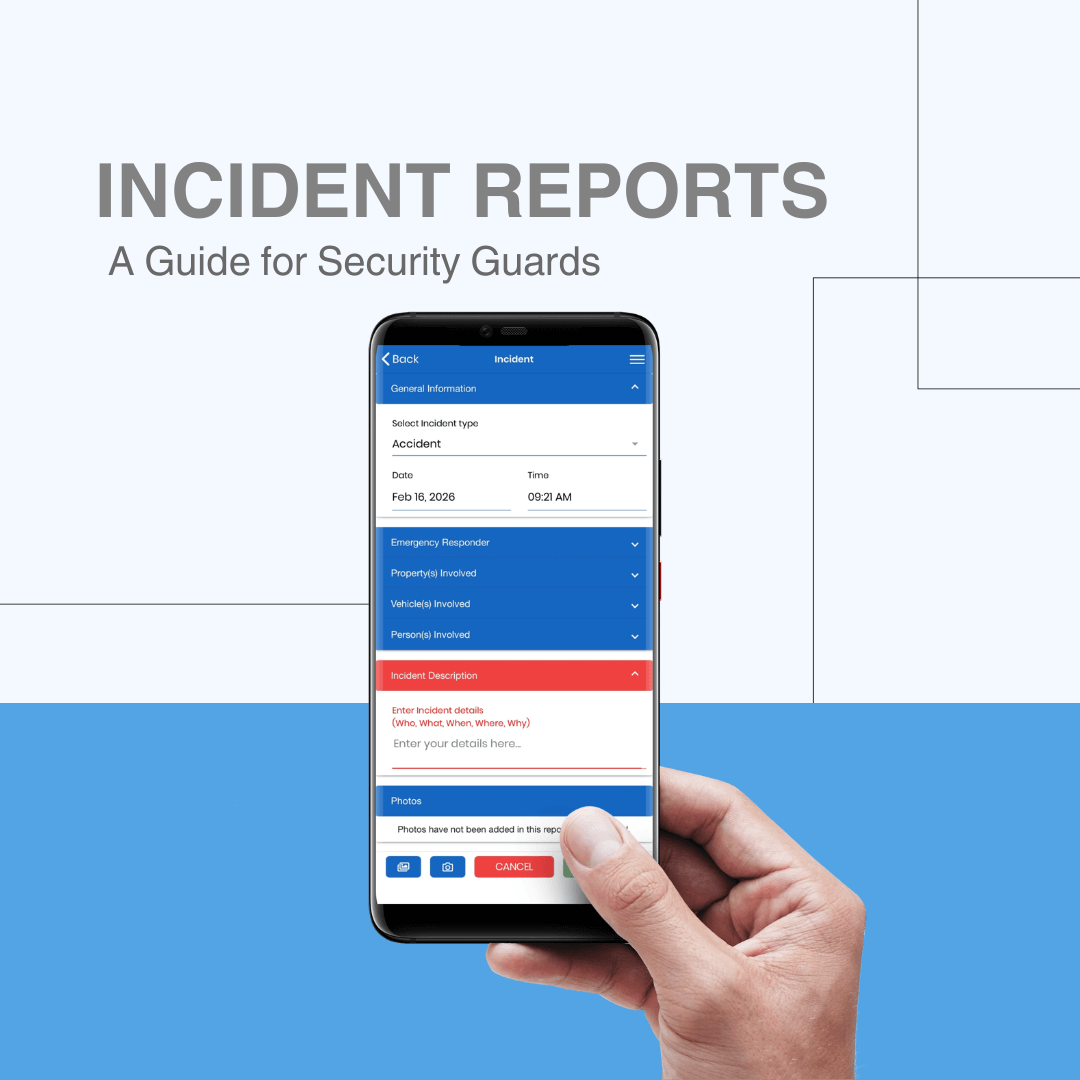
SOS Online Solutions integrates visitor pass management across its full ecosystem. Residents create passes through My Property Access. Guards verify and log visits through the SOS Guard App. Property managers and supervisors have full visibility through the SOS Management Portal.
All three work together on the same platform — no separate systems, no manual data transfer, no information gaps.
For communities that already use SOS Security for guard management, adding SOS Community creates a complete, connected operation where security and property management share the same data in real time.
Is your Community ready to make the switch?
If your gate still runs on paper, the upgrade is simpler than most HOA boards expect. No hardware installation is required. Guards use the app on their existing phones. Residents download My Property Access and are up and running in minutes.
The result is a faster gate, a safer community, and less administrative work for everyone involved.
Want to see how it works? Book a free demo with the SOS team and we will walk you through the full visitor management workflow for your community.
Frequently Asked Questions
A dynamic QR code refreshes automatically every 60 seconds. Unlike static QR codes that stay the same, a dynamic code cannot be screenshotted and reused. The guest must present a live, active code at the gate — making it impossible to share access with unauthorized visitors.
No. The guest receives the QR code via text or email and presents it at the gate from their phone. No app download is required on the guest’s side.
Yes. Residents can pre-register guests days or weeks ahead of the visit. The pass becomes active on the authorized date and expires automatically.
The resident can resend the pass instantly from the My Property Access app. The guard can also look up the visitor by name in the management portal.
Yes. Residents can deactivate any pass at any time from the app. The guard’s system updates in real time, so a cancelled pass will not grant access even if the guest still has the QR code.
SOS is designed primarily for staffed access points. Contact our team to discuss the best configuration for your community’s specific setup
All visitor records are encrypted and stored securely in the SOS platform. Access is limited to authorized managers and supervisors. Data is not shared with third parties.